Traily
Rediscover your browsing journey — privately, on your own device.
- Chrome Extension
- TypeScript
- React
- Vite
- IndexedDB
Overview
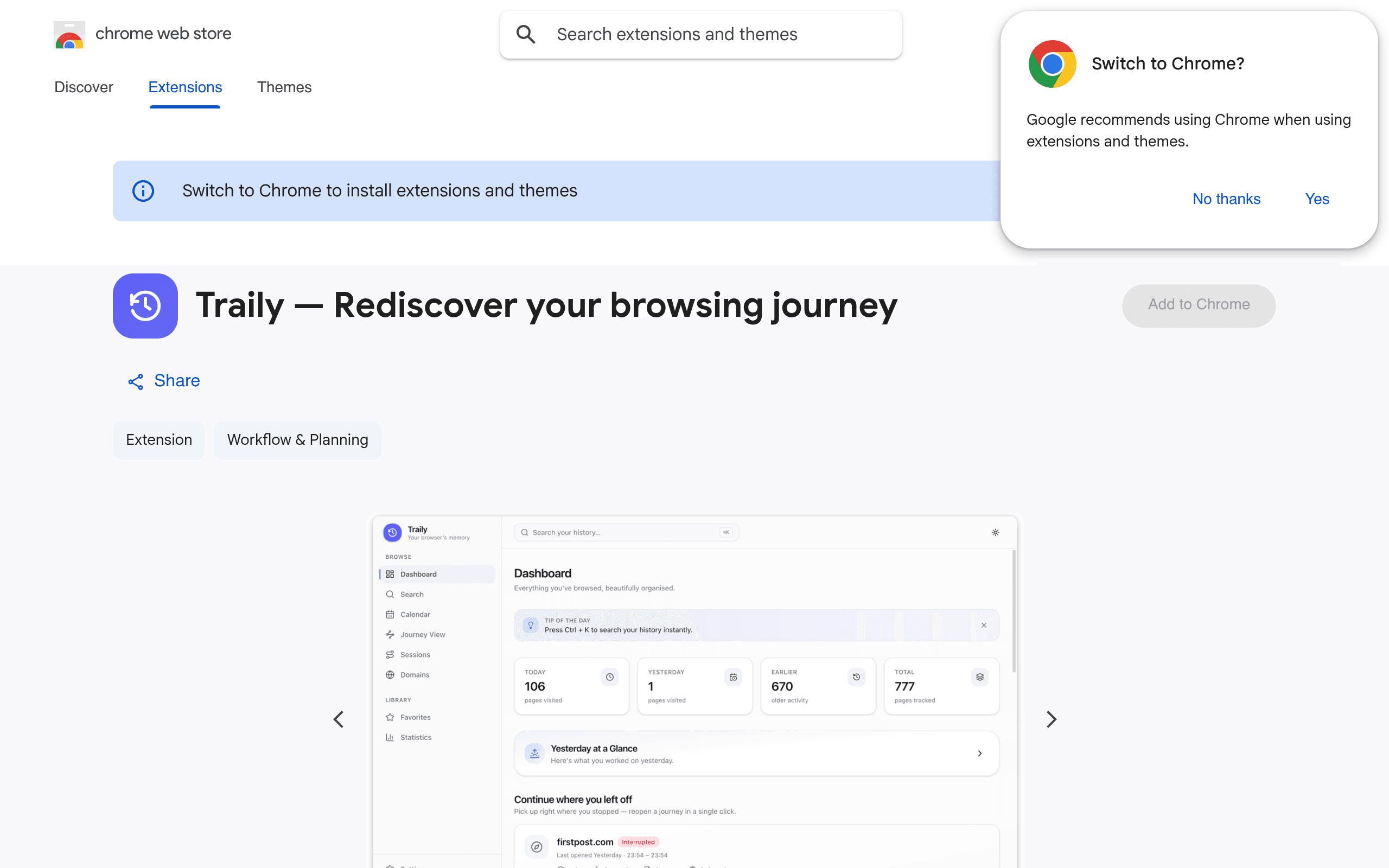
Traily is a Chrome extension that replaces Chrome's dated history page with a fast, beautiful way to search and rediscover where you've been — entirely on-device. It turns a flat list of visits into journeys, sessions, stats, and a daily digest, with privacy as the foundation: no account, no cloud, no ads. I designed and shipped the product end to end.
The Problem
- Chrome's built-in history is slow, ugly, and hard to search when you need to find something from last week.
- Browsing history is a map of research, shopping, and reading — but it's trapped in an endless flat list.
- Most 'history' products upload data to the cloud, which most people rightly refuse.
The Solution
- A modern history experience with a command palette (Ctrl/Cmd+K), filters by date, domain, or keyword.
- Automatic journeys that group related pages so you can resume research or shopping where you left off.
- Sessions, timeline, statistics, daily digest, favorites, calendar, and domain views — all processed locally.
Architecture
- Manifest V3 Chrome extension reading history via the chrome.history API; all indexing stays on the device.
- Local persistence (storage / IndexedDB) for settings, favorites, and derived journey state — nothing is uploaded.
- React UI with light/dark themes, keyboard-first navigation, and a Privacy & Analytics page with analytics off by default.
- Optional anonymous product analytics (feature usage only) never includes URLs, titles, queries, or history content.
Engineering Decisions
On-device by default, always
Uploading history would unlock nicer sync features but destroy the product. Traily wins by never leaving the machine.
Replace history, don't bolt on a sidebar
Owning the history surface meant Traily could redesign search, journeys, and digests as one coherent experience instead of a partial overlay.
Challenges
Making history feel like a product
Raw visit lists don't tell a story. I built journey grouping and session timelines so people rediscover context — not just URLs — without inventing a server-side graph.
Privacy without hand-waving
Users need to trust a history tool. I made local processing non-negotiable, kept analytics opt-in and feature-only, and shipped a dedicated Privacy page that spells out exactly what is and isn't collected.
Lessons Learned
- Privacy is a product feature when the data is sensitive — design it first.
- Chrome's history API is enough to build something useful if the UX is excellent.
- Ship a clear Privacy page; trust compounds when users can verify claims themselves.
Tech Stack
Extension
- Chrome Extension MV3
- TypeScript
- chrome.history
Frontend
- React
- Vite
- Tailwind CSS
Local data
- IndexedDB
- chrome.storage
Privacy
- On-device only
- No account
- No cloud
Screenshots
Next case study
Uniq Password Generator